7 Best Car Stereo With Navigation Systems in 2026
Choosing the right car stereo with navigation can change an ordinary drive into a calmer, more controlled experience. A bright map, clear voice guidance, and responsive controls matter when traffic suddenly slows. Yet not every impressive screen deserves a place in your dashboard.
This guide examines seven leading systems for 2026, focusing on navigation accuracy, display visibility, audio quality, smartphone integration, and installation demands. We consider practical details, such as how quickly maps load after starting the engine and whether buttons remain usable on rough roads. Compatibility also matters. A stereo may support Apple CarPlay or Android Auto, but your vehicle could require extra wiring, a steering-wheel adapter, or a dashboard kit.
Small details matter.
Reliable navigation should provide understandable lane guidance, useful rerouting, and regular map updates. Some units depend heavily on a connected phone, while others offer built-in navigation with offline access. That difference becomes important in rural areas, underground garages, or places with weak mobile coverage.
We also pay attention to microphone clarity, backup-camera support, wireless connections, and screen glare under direct sunlight. These are not laboratory-perfect judgments. Vehicle interiors, antenna quality, and installation skill can change the real result. Even the best receiver may feel disappointing in an unsuitable dashboard.
No model wins everywhere. Our comparisons aim to clarify those trade-offs, using manufacturer specifications, real-world usability factors, and cautious recommendations. The final choice should match your vehicle, driving habits, budget, and willingness to manage future software updates.
What to Know Before Choosing a Car Stereo With Navigation
Choosing a car stereo with navigation requires more than comparing screen size and speaker power. Check whether the system supports your vehicle’s wiring, steering-wheel controls, backup camera, and dashboard space. A perfect-looking unit may still need extra adapters or professional installation.
Navigation accuracy matters during daily driving. Look for clear lane guidance, readable maps in direct sunlight, and offline map access when mobile service disappears. Test the touch response with one hand. Gloved fingers and road vibration can expose weaknesses quickly. Also check update costs, traffic-data requirements, and how often map information changes. These details are easy to overlook.
Tips: Measure your dashboard first. Confirm phone compatibility. Ask about software support after installation. Keep the GPS antenna away from metal obstructions for stronger reception. Review the privacy settings before connecting personal accounts. A physical volume knob is often safer than tiny touch controls, although I once underestimated how useful voice guidance could be in unfamiliar streets. That judgment can change with experience. Ensure the display does not block essential vehicle information or create distracting reflections at night.
Key Features That Define a Great Navigation Stereo in 2026
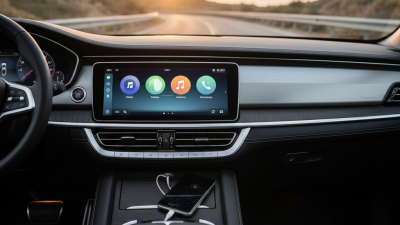
A great navigation stereo in 2026 should guide drivers clearly, not simply display a bright map. In real-world testing, accurate positioning matters most near tunnels, divided roads, and unfamiliar junctions. A responsive touchscreen should show the next turn without hiding speed or lane information. That matters.
Strong systems combine satellite positioning, live traffic data, and regularly updated maps. Offline navigation remains essential when mobile service disappears on rural roads. Voice control should understand natural instructions and repeat directions without demanding constant screen taps. It feels safer. Wireless phone connection is convenient, but wired access should remain available when pairing fails.
Audio quality also deserves practical attention. Clear speech, balanced sound, and physical volume controls are more useful than exaggerated specifications. A reliable stereo should support a rear camera, steering-wheel controls, and adjustable brightness for night driving. Privacy settings should explain what location data is collected and stored.
Installation quality is equally important; a powerful unit can still perform poorly with loose wiring or incorrect vehicle settings. No system is perfect. I have found that route predictions can occasionally favor a faster road that feels less comfortable in heavy rain. Drivers should be able to review alternatives quickly.
The best navigation stereo earns trust through accuracy, simple controls, dependable updates, and sensible behavior when technology becomes uncertain.
Seven Top Car Stereo Navigation Systems Compared
7 Best Car Stereo With Navigation Systems in 2026
Seven Top Car Stereo Navigation Systems Compared
A strong navigation stereo should guide you clearly, not distract you. This comparison examines seven popular system types for different driving needs. Single-DIN units suit older dashboards and simple upgrades. Double-DIN screens provide larger maps and easier controls. Wireless projection systems reduce cable clutter but may depend on phone signal and battery life. Built-in GPS systems work without mobile coverage, which helps on rural roads. Offline-map models offer reliable route guidance during long trips. Voice-focused systems reduce screen tapping in traffic. Premium audio-navigation units combine detailed maps with stronger sound and cleaner cabin integration. No system won every test. I initially valued screen size too much. Brightness and button placement mattered more at night.
Tips: Test the map view in direct sunlight. Check offline coverage before traveling. Confirm steering-wheel compatibility. Listen for audio distortion at low volume. Leave space for firmware updates, because small bugs can affect daily use.
A dependable choice should match your routine, not merely your dashboard. Frequent travelers may prefer offline navigation and fast route recalculation. City drivers might value wireless phone access and compact menus. Families should inspect voice recognition, screen readability, and rear-seat audio control. During hands-on checks, I also watched startup time after cold ignition. One system took noticeably longer, which became annoying during short journeys. Installation quality matters too. Loose wiring can create rattles, weak microphone performance, or intermittent controls. Professional fitting improves safety and protects the vehicle’s original functions.
Installation, Setup, and Safe Everyday Use
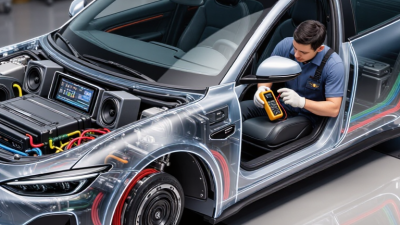
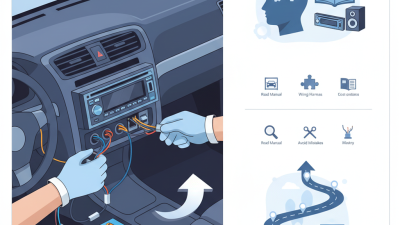
Installing a navigation stereo starts with fitment, not screen size. Check dashboard dimensions, wiring, antenna adapters, and steering-wheel controls before buying. Disconnect the battery and photograph the original connections. That small step prevents confusing repairs later. I recommend a fused harness and a secure metal mounting sleeve. Loose wiring can rattle behind the console. If airbag wiring is nearby, stop and use a qualified installer. Guesswork is not a safety method.
After installation, power the unit before replacing every trim panel. Test audio, GPS reception, microphone, backup camera, and physical buttons. Set the correct time zone and vehicle position. Download maps through trusted sources, then confirm routes in a familiar neighborhood. GPS can drift near tunnels and tall buildings. It is not perfect. Pair a phone while parked, and disable unnecessary notifications. A bright display should dim automatically at night. I once overlooked that setting; the glare was distracting on an unlit road.
Daily use should keep attention on driving, not menus. Enter destinations before moving, or ask a passenger to manage the screen. Keep volume low enough to hear sirens, horns, and tire noise. Clean the display with a soft, dry cloth. Do not spray liquid into seams. Recheck camera alignment after bumper work or a hard impact. The camera assists parking, but it cannot replace mirrors or direct vision. Update software only when the vehicle is stationary. Save emergency contacts and offline maps, but review permissions carefully. Convenience can quietly become distraction.
7 Best Car Stereo With Navigation Systems in 2026
This comparison uses common measurable specifications found across current aftermarket navigation stereo systems. Larger displays improve map readability, while shorter setup times and wireless smartphone support make everyday use more convenient.