Why Do Businesses Need a Cloud Data Platform?
A business can collect data from sales, finance, customer support, and connected devices, yet still struggle to see the full picture. The problem often appears in ordinary moments: a manager waits for a spreadsheet, two dashboards show different revenue, or an analyst spends hours joining files. A Cloud Data Platform can bring these sources together, store information in scalable cloud infrastructure, and make it easier to analyze current and historical results. It can also support governance and access controls, so teams know who can use sensitive information. Those capabilities matter when decisions depend on timely, consistent evidence.
Data warehousing expert Bill Inmon defined a data warehouse as “a subject-oriented, integrated, time-variant, and nonvolatile collection of data.” His definition highlights a lasting business need: information must be organized and trustworthy, not merely stored. A modern Cloud Data Platform can help companies build that foundation while supporting analytics and machine learning. But technology does not settle every question. Poor source data, unclear ownership, and rising cloud costs can still undermine a project. That matters. A platform is not a strategy, and migration is rarely as tidy as a vendor diagram suggests. Businesses need to weigh security, integration, skills, and cost alongside speed. The practical question is not whether cloud is fashionable. It is whether a well-governed platform can help people make better decisions, with fewer delays and clearer evidence.
What Is a Cloud Data Platform?
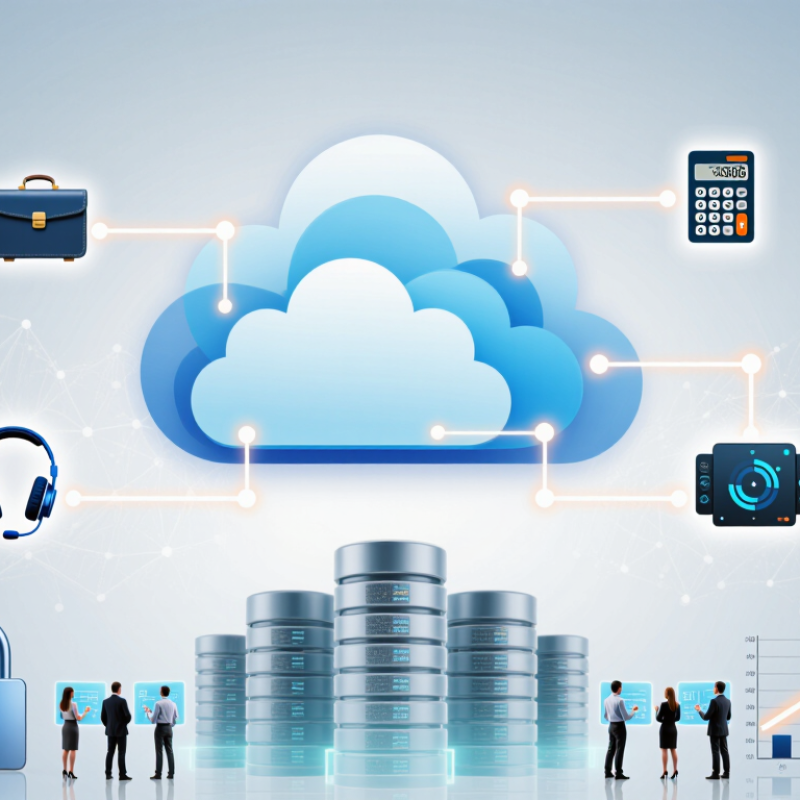
A cloud data platform is an online environment for collecting, storing, preparing, and analyzing data. It uses cloud infrastructure, so teams can access information without maintaining every server themselves. Data may arrive from sales systems, mobile apps, sensors, or spreadsheets. The platform brings these sources together and helps make their contents usable. For example, a retailer might compare daily checkout records with inventory updates to spot products running low. A platform is not just a storage folder. It can also provide tools for data processing, access controls, monitoring, and analysis.
Tips: Map where important data comes from before choosing tools. Check who can access sensitive records, how often information updates, and what happens when a connection fails. Small tests help. Real data is often messier than expected.
A useful platform supports reliable work while allowing capacity to grow or shrink with demand. Teams can build reports, train analytical models, or share consistent datasets across departments. Good controls matter: clear permissions, documented definitions, and backups reduce avoidable confusion. Cloud services can also shift some maintenance tasks away from internal teams, but they do not remove responsibility for data quality or security. Costs and performance need regular review. A setup that looks simple on paper may need adjustment once actual workloads arrive.
How Does a Cloud Data Platform Work?
A cloud data platform connects data sources, storage, processing, and access controls through internet-based services. It can ingest sales records from a point-of-sale system, sensor readings, and website events. Pipelines clean and organize those streams, then store them in shared cloud repositories. Teams query the data without managing every server themselves.
Compute and storage often scale separately. When analysts run a large query, the platform can allocate more processing power, then release it afterward. Access rules, encryption, and audit logs help protect sensitive records. The 2024 Flexera State of the Cloud Report found that 89% of surveyed organizations had a multicloud strategy. That makes consistent data definitions and permissions especially important across environments. Small mismatches can still distort a dashboard.
The platform is not automatic truth. Poor source data stays poor, even in cloud storage. Someone must check pipeline failures, duplicate customer records, and changing definitions. A practical setup tracks where data came from and when it was refreshed. It also gives teams clear access rules. That takes ongoing work. Teams may discover that a “daily” report is stale by lunchtime, or that two departments define revenue differently. Those awkward details deserve attention before decisions rely on the numbers.
What Business Needs Does It Address?
Growing businesses collect data from sales, finance, customer service, and operations. When each team keeps separate files and systems, even a basic question can take days to answer. A cloud data platform brings information into a shared environment, so analysts can compare figures without manually stitching together spreadsheets. Fewer handoffs. Less guesswork.
It also addresses changing demand. A retailer might need to review hourly orders during a busy season, then use less computing capacity when traffic falls. Cloud resources can scale with that workload, helping teams avoid buying infrastructure for peak demand alone. Managers can also access current dashboards, rather than waiting for a monthly report to spot a stock shortage or rising service delays.
Reliable access still depends on sound data practices. Clear permissions, validation rules, and documented definitions help prevent sensitive records from reaching the wrong people and reduce conflicting metrics. A platform cannot fix inaccurate source data by itself. That part is easy to underestimate. Teams need owners who check whether key fields are complete and whether “active customer” means the same thing across departments. For smaller organizations, setup and ongoing skills can also be real costs, not minor details.
What Benefits Can Businesses Gain?
A cloud data platform gives teams one managed place to collect, organize, and analyze information from different systems. This can reduce time spent matching spreadsheets or waiting for separate reports. For example, a sales team might compare daily orders with inventory levels before popular items run out. Shared, current data can also help managers spot changes earlier and make decisions with clearer evidence. Access controls and backup options can support responsible data handling, though they still require careful setup and review.
Tips: Start with one clear business question. Check data quality before moving large datasets. Set access permissions by role, and review them regularly. Keep a record of who owns each dataset.
The benefits depend on how well the platform fits existing workflows. A fast dashboard is not useful if staff cannot understand its numbers or trust its source. Businesses should check ongoing costs, migration effort, and staff training needs before committing. In practice, some older data may be incomplete, and integration can take longer than expected. That is worth admitting early. A small pilot can reveal those gaps before a wider rollout, while giving teams a chance to improve definitions and processes.
Why Do Businesses Need a Cloud Data Platform? What Benefits Can Businesses Gain?
Global public cloud spending shows the scale of businesses’ investment in cloud capabilities.
Why it matters: A cloud data platform can help businesses bring data together, scale analytics as needs change, and make information easier to access across teams. These market figures show spending growth; they do not measure the return on investment for any individual business.
Source: Gartner, worldwide public cloud end-user spending forecast, 2023–2024. Figures are in billions of U.S. dollars.
What Factors Shape Platform Selection?
Choosing a cloud data platform starts with the work it must support, not a feature checklist. A retailer combining daily sales and stock counts may need rapid updates. A research group may prioritize complex analysis. Define data volumes, update frequency, user roles, and peak demand using real examples. Small test.
Compatibility with existing databases, file formats, and analytics tools can prevent brittle workarounds. Security controls should match data sensitivity, with clear permissions, encryption, and audit trails. Governance matters too: teams need consistent definitions, retention rules, and traceable data changes. Test a realistic pipeline, such as loading a spreadsheet, validating records, and serving a dashboard. Measure latency and recovery behavior, not just a polished demo. Costs can surprise.
Estimate storage, processing, network transfer, and support costs across normal and busy periods. Check how easily capacity scales and whether staff can operate the platform without constant specialist help. Strong performance may still bring hidden maintenance work if the required skills are scarce. Predictions are imperfect. A short pilot with representative data can reveal awkward steps before a long commitment. Document trade-offs and revisit them as needs change.