
A production-floor display does more than show data. It must stay readable beside bright windows, respond to gloved hands, and keep working through long shifts. In a packaging area, that might mean checking a touchscreen while conveyors hum and operators move between stations. An Industrial Pc Monitor is designed for these tougher conditions, but “industrial” alone does not guarantee a suitable fit. That deserves a closer look.
Quality expert W. Edwards Deming’s reminder, “Quality is everyone’s responsibility,” offers a useful lens for choosing equipment. Buyers should consider the full installation, not just the screen price. Check brightness against actual lighting, touch compatibility with work gloves, mounting options, available ports, and the computer’s operating temperature range. A fanless design can reduce moving parts, though it may not suit every heat-heavy enclosure. Small details matter.
This guide explores why an industrial monitor can support reliable operations, where it differs from a standard office display, and what to verify before purchase. It also considers service life, integration, and total cost over time. No display is perfect. A rugged enclosure cannot fix poor placement, and a bright panel may still cause glare at the wrong angle. The sensible choice comes from matching specifications to the workstation—and checking those assumptions on site.
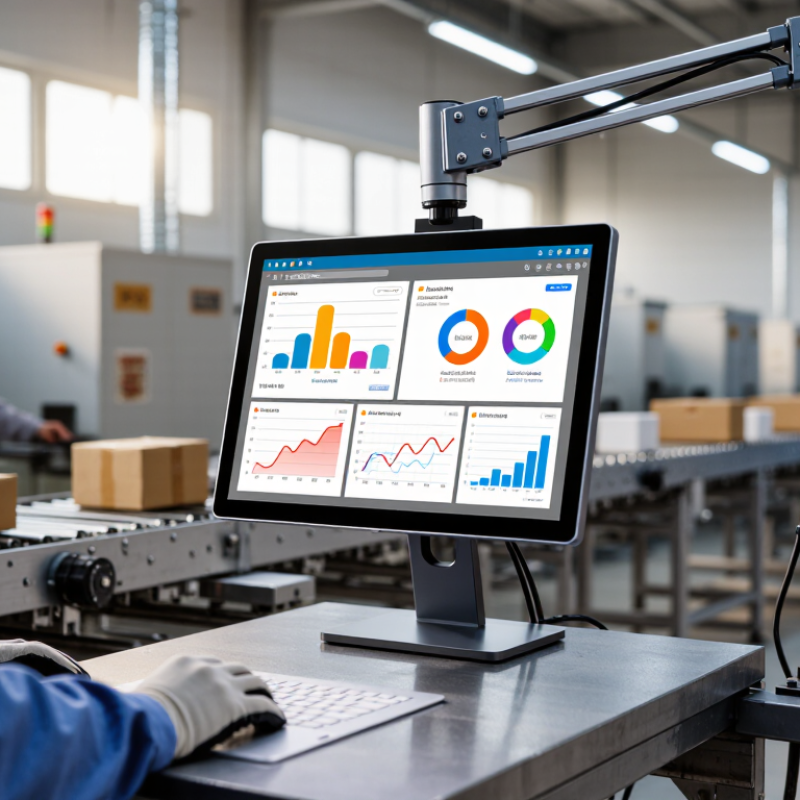
An industrial PC monitor is a display designed for demanding work areas, where dust, vibration, frequent cleaning, or long operating hours can challenge ordinary screens. Its defining traits are not simply a metal case or a large display. Look at its rated operating temperature, brightness, touch technology, mounting options, and resistance to dust or moisture. These specifications show whether it suits a factory floor, vehicle, or control room.
The right monitor must also fit the computer and the task. Check connection types, supported resolution, and whether the touch panel works with the gloves operators actually wear. A bright screen can improve visibility near windows, while sealed bezels can make routine cleaning easier. Ratings vary, though, and “industrial” does not mean indestructible. Compare the published limits with real site conditions, and leave room for a little uncertainty: conditions in one corner of a plant may differ from the next.

An industrial-grade display is useful when a screen must keep working around dust, vibration, moisture, or changing temperatures. Dust gets everywhere. In a packing area, fine powder can settle around ports, while washdown zones may expose the screen to splashes. Ordinary office monitors are rarely designed for repeated exposure to these conditions.
Temperature swings and constant machine vibration can loosen connections or shorten component life. A display near a loading bay may face cold drafts, warm air, and occasional bumps from carts. Gloves matter too. If staff operate the screen with gloves, check that its touch technology responds reliably without forcing repeated taps. Brightness should suit the actual lighting: a dim display near a sunlit doorway slows work, while excessive brightness can tire operators indoors.
Continuous operation also changes the choice. Production dashboards and control stations may run through long shifts, so stable performance and accessible service options matter. For wet or dusty sites, match the enclosure’s protection rating to the real cleaning routine; “water-resistant” alone is not enough detail. A common planning mistake is over-specifying every feature. Yet choosing a standard screen for a genuinely harsh location can cost more in downtime. Check the site conditions with maintenance staff before deciding.
| Workplace condition | Typical challenge | Industrial-display feature to consider | Practical selection guidance |
|---|---|---|---|
| Dusty production areas Workshops, packaging lines, and material-handling zones | Dust can enter openings or accumulate around controls and connectors. | Sealed front panel and clearly specified ingress protection rating | Check the exact IP rating and which parts it covers. An IP65-rated front indicates dust-tight protection and protection against water jets under the applicable test conditions; it does not automatically mean the entire monitor is IP65. |
| Frequent washdown or splashing Food-processing or cleaning areas | Water and cleaning routines may damage displays that are not designed for exposure. | Washdown-compatible enclosure, sealed connectors, and suitable mounting | Match the enclosure rating to the actual exposure. Confirm chemical compatibility and the permitted cleaning method; an IP rating alone does not establish resistance to detergents or high-pressure cleaning. |
| Outdoor or high-glare locations Loading bays, vehicle yards, or sunlit workstations | Sunlight and reflections can make screen content difficult to read. | High-brightness panel, anti-glare surface, and adjustable display position | Compare measured brightness and reflectivity for the installation. Around 1,000 cd/m² or more is commonly considered for sunlight-readable displays, but visibility also depends on reflections, viewing angle, and direct-sun exposure. |
| Wide temperature variation Unheated facilities, hot production floors, or outdoor enclosures | Temperature extremes can affect start-up, image performance, and component life. | Specified operating-temperature range and thermal-management design | Compare the monitor’s operating range—not just its storage range—with the temperature measured at the display location. Allow for heat from sunlight, nearby machinery, and any sealed cabinet. |
| Vibration and mechanical shock Near presses, conveyors, engines, or mobile equipment | Repeated movement can loosen connections or stress the display and its mounting. | Ruggedized construction, secure mounting, and documented vibration testing | Review the test method, vibration profile, and mounting conditions in the product documentation. A general “rugged” description does not specify the level of vibration or shock tested. |
| Gloved or wet-hand operation Machine controls, inspection stations, or field work | Some touchscreens may not register input reliably through gloves or when wet. | Touch technology matched to gloves, moisture, and cleaning needs | Test with the actual glove types and operating conditions. Resistive and projected-capacitive touch technologies behave differently; confirm support for the intended use rather than assuming all touchscreens work with every glove. |
| Long shifts and continuous operation Control rooms and production monitoring | Unexpected downtime can interrupt monitoring or require costly maintenance. | Documented duty-cycle rating, serviceable design, and appropriate warranty coverage | Confirm the manufacturer’s stated operating duty cycle, expected environment, and service arrangements. Industrial-grade construction alone does not guarantee uninterrupted operation. |
| Fixed equipment or limited installation space Machine enclosures, operator panels, or retrofit projects | A display may not fit the cutout, mounting pattern, or available connection space. | Panel-mount, VESA, or other documented mounting options; suitable video and touch interfaces | Check cutout dimensions, mounting depth, cable clearance, resolution, connectors, and operating-system compatibility before installation. |
An industrial PC monitor can keep production data visible where work happens. Operators can check machine status, work orders, and inspection results without walking back to an office terminal. On a packing line, a bright display may help staff spot a changing count or a paused conveyor quickly. Small delays matter.
Touch input can reduce time spent switching between controls, especially at stations with limited desk space. For reliable use, match the monitor’s enclosure, brightness, temperature range, and touch method to the actual workplace. A dusty workshop and a washdown area have different needs. Check interface compatibility before installation, too. A monitor alone cannot fix confusing software or poor network access; we sometimes overlook that.
Tips: Test the screen at the workstation, not just in an office. Check readability under overhead lights, try it with work gloves, and confirm cleaning procedures won’t damage the surface. Keep a spare cable nearby.
How can an industrial PC monitor support business operations? Choose an enclosure suited to the dust levels in your environment.
IEC 60529’s first IP-code digit describes protection against solid objects and dust. Higher code levels indicate greater protection in this category; the numbers are not a linear measure of durability. Check the monitor’s full IP rating and your site requirements before choosing a model.
When comparing industrial PC monitors, begin with the conditions at the workstation, not the screen size alone. Check the specified operating temperature, resistance to dust and moisture, and whether the front panel suits frequent cleaning. A unit beside a warm machine may need a wider temperature range than one in a climate-controlled office. Small details matter.
Compare brightness and viewing angles under real lighting. A glossy screen can look vivid in a showroom but reflect overhead lamps on a factory floor. Touch technology also deserves a practical test: operators wearing gloves may find some capacitive screens frustrating, while resistive touch can feel less familiar. Try the intended gestures before choosing.
Next, match connections and mounting to the computer and installation. Confirm the required video inputs, touch interface, panel-mount dimensions, and cable clearance; a connector that fits on paper may be awkward behind a crowded cabinet. Review rated service life, warranty terms, and replacement availability, too. These figures are useful, but they do not predict every failure. I would avoid paying for a very bright panel if the display will sit indoors, though that judgment can change with glare or viewing distance. Compare the published specifications with a short on-site trial, using the actual software and ambient light.
On factory floors, industrial PC monitors can sit beside production lines, CNC equipment, and packaging cells. Operators use them to check work instructions, machine status, and quality readings without leaving the station. A glove-friendly touchscreen and a sealed enclosure matter where dust, oil mist, or frequent cleaning are routine. Small details count.
Deloitte’s 2024 Smart Manufacturing Survey found that 86% of surveyed manufacturing executives viewed smart manufacturing as a competitiveness driver over the next five years. A monitor alone does not create that advantage, but it can make machine data visible where decisions happen. The right mounting position and readable display still need testing under actual lighting.
Use also extends to warehouses, maintenance rooms, and quality labs. In a warehouse, staff can scan labels and review pick lists near packing benches; technicians can view service records beside equipment. MHI’s 2024 Annual Industry Report reported that 55% of respondents planned to increase supply-chain technology investment. Industrial displays can support that work, though they are only one part of a connected operation.
A useful reality check: a rugged unit may be unnecessary in a clean office, while a standard monitor may struggle near vibration, dust, or temperature swings. The site conditions should decide.

| Sunday | CLOSED | |
| Monday | 9AM-12PM | 1PM-6PM |
| Tuesday | 9AM-12PM | 1PM-6PM |
| Wednesday | 9AM-12PM | 1PM-6PM |
| Thursday | CLOSED | |
| Friday | 9AM-12PM | 1PM-6PM |
| Saturday | 10AM-12PM | 1PM-6PM |
Please note that we are closed for lunch from 12PM-1PM daily.